
These guides explain the documented Bunkfox workflows. The website is an interactive preview; it does not change live property records.
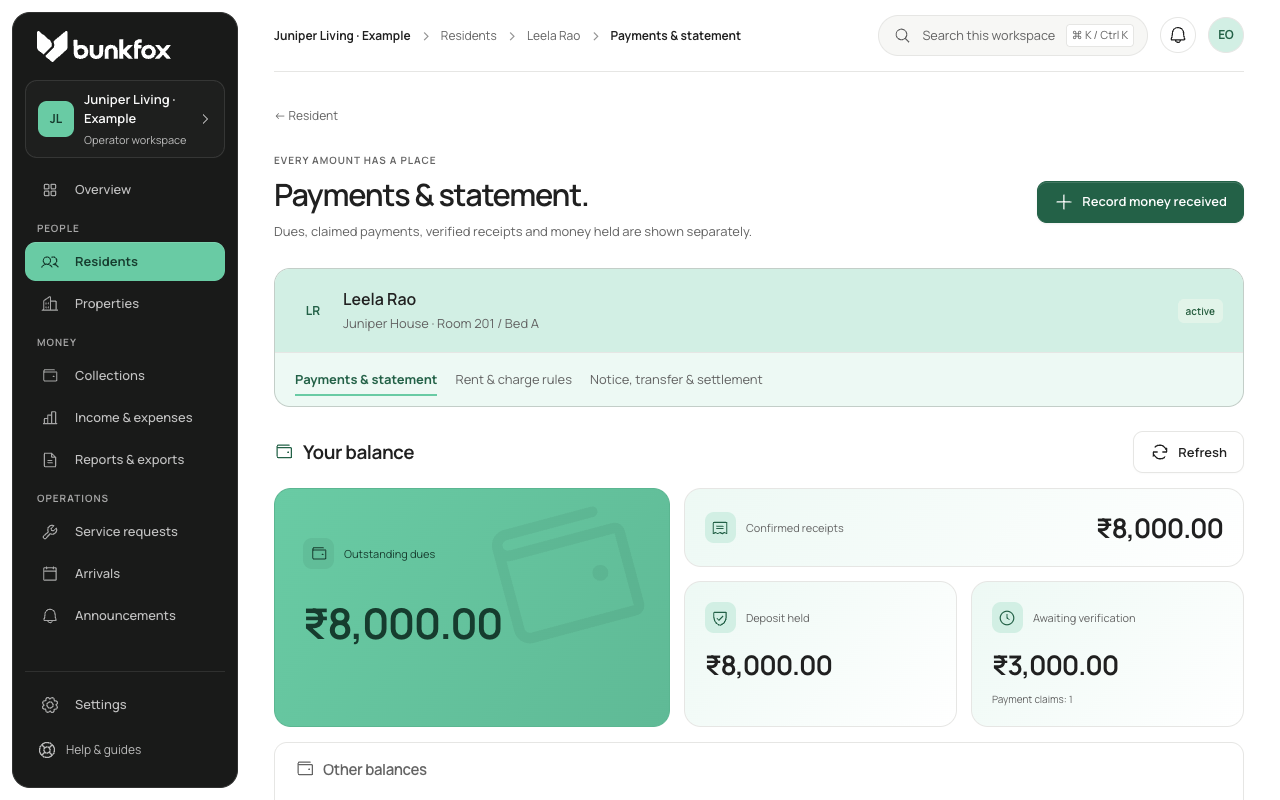
Open the resident’s payment record.
Check the resident, property, purpose and billing period. Residents pay outside Bunkfox using the property’s enabled methods: cash or direct UPI. Bunkfox records the payment; it is not a resident rent gateway.
A resident can report an amount, date, method, reference and supporting proof for review. Owners can also directly record money actually received, including cash.
Check the money received.
Verify the amount, date and method. Opening a UPI app, a screenshot or a client-side success message does not by itself confirm receipt.
Look for an existing receipt before adding another. Match a claim to money already recorded where appropriate. If rejecting a claim, give a visible reason rather than silently removing it.
Apply confirmed money to its purpose.
Confirm only the money actually received. Apply it to the intended rent dues, deposit or other agreed purpose. Allocation uses confirmed money; it does not verify a payment claim.
For example, applying a verified ₹3,000 receipt to ₹8,000 rent due leaves ₹5,000. Any excess stays visible for the owner to assign; it should not silently move to another purpose.
Review the balance and history.
Check that the resident’s remaining balance and receipt history agree. Keep the payment claim, confirmed receipt and allocation distinguishable.
If a confirmed record needs a correction, preview the effect, add a reason and retain the original with an adjustment. Do not erase the earlier record or count the money twice.